Scattered Service Requests
Requests arrive by call, email, and WhatsApp. Nothing lands in one place you can track.Requests arrive by call, email, and WhatsApp. Nothing is tracked in one place.

DGlide FSM is field service management software that runs requests, work orders, scheduling, AMC visits and technician updates in one place for Indian manufacturers and service-heavy teams.DGlide FSM is field service management software that runs requests, work orders, AMC visits and technicians in one place.
 Work orders, scheduling, and field tracking in one flowBuilt for machinery, equipment, and service-heavy teamsConfigurable workflows without a custom buildWork orders, scheduling, and field trackingBuilt for machinery and service-heavy teamsConfigurable workflows without custom build
When your system doesn't match how service runs, the gaps show up everywhere.
Requests arrive by call, email, and WhatsApp. Nothing lands in one place you can track.Requests arrive by call, email, and WhatsApp. Nothing is tracked in one place.
Someone decides who goes where by memory and guesswork, not skill, location, or load.Someone decides who goes where by memory or guesswork. Not skill or load.
Once an engineer leaves, you're blind until they call. You can't see status or delays.Once a tech leaves, you're blind until they call. You can't see status or delays.
Deadlines slip with no warning. Nothing flags a breach or escalates it before the customer does.Deadlines slip with no warning. Nothing flags a breach before the customer does.
Jobs get marked done with no proof, no sign-off, and no clean record to bill against.
DGlide FSM is for service-heavy businesses that have outgrown calls, spreadsheets, and guesswork.
You sell machines that need installation, service, and uptime. DGlide tracks every work order, technician, and service visit against the asset, not a spreadsheet.
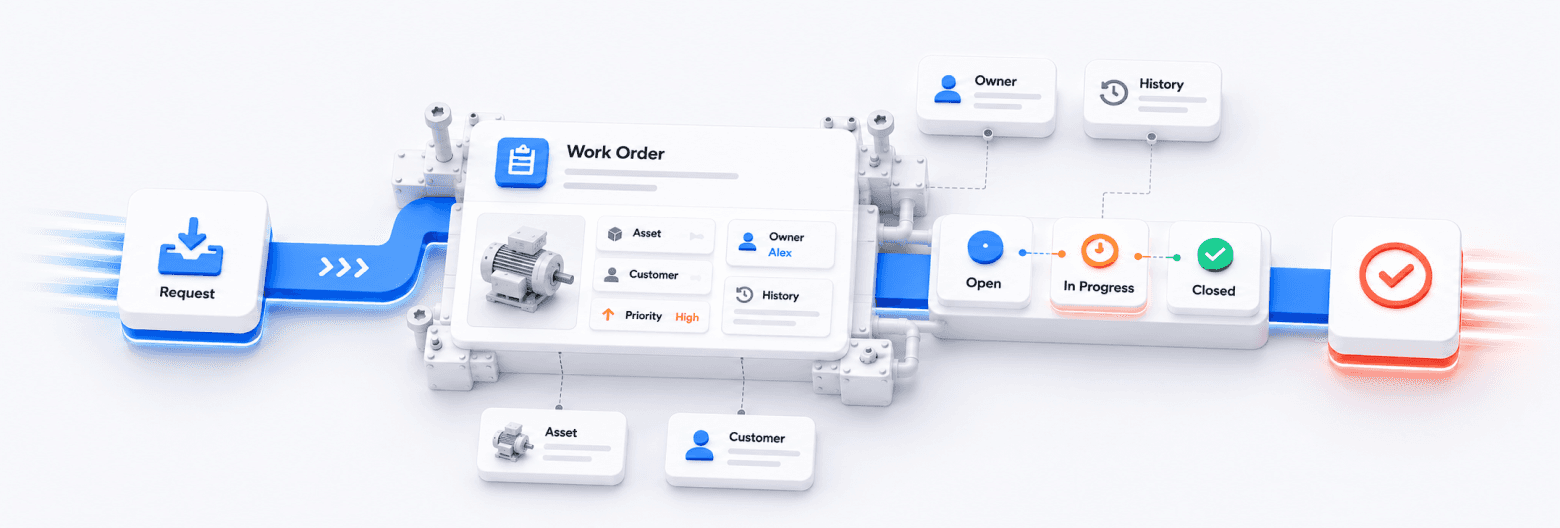
DGlide FSM connects every step of your field service, from the first request to job closure, in one flow.
Create service requests from teams, customers, or internal users, all in one place.Create service requests from teams, users or customers.
Convert requests into structured jobs with clear ownership and detail.Convert requests into structured jobs with clear ownership.
Allocate work by priority, availability, location, or expertise.Allocate work by priority, availability, location, or expertise.
Technicians update status, notes, and service details from the field as work happens.Technicians update status, notes, and service details from the field.
Confirm completion with customer validation, clean closure, and reporting.Confirm completion with customer validation and reporting.
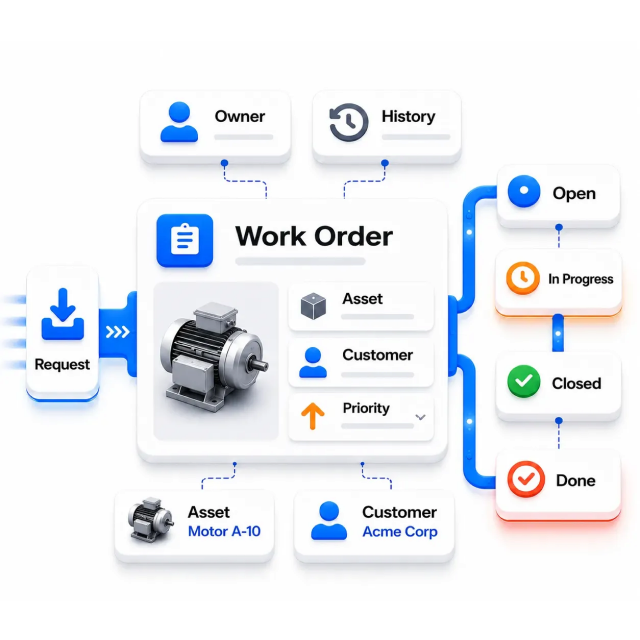
Turn every request into a structured work order with the asset, customer, priority, and history attached, so everyone sees who owns the job and what's left.
“When work orders are structured, nothing gets worked twice or dropped between people.”
For teams already weighing a switch: a straight comparison against a rigid FSM suite, including where it still wins. "Add-on" means the capability exists, but only as a separate paid extra.
What your service operation runs into
DGlide FSM
Rigid FSM suite

Getting the system live
Ready to run: live in weeks, no consultant-led program
Partner-led rollout that runs for months
Changing a workflow after go-live
No-code. Your ops lead makes the change, not IT or the vendor
Admin scripting or a vendor request
Intake, dispatch, technician app and closure
One platform, one scoped plan: call, email and WhatsApp requests land in one place
Separate scheduling, mobile and closure modules, licensed one by one
AI for technician assignment and route planning
Already in your quoted plan
Paid tier, add-on or licence uplift
What you pay after go-live
Fixed to the scope you agreed. No surprise add-ons
Climbs as modules, automation and AI get switched on
Your service workflow will change
Your FSM reconfigures to match
You raise a change request and wait
Comparison reflects typical enterprise-suite licensing and rollout as of September 2026.
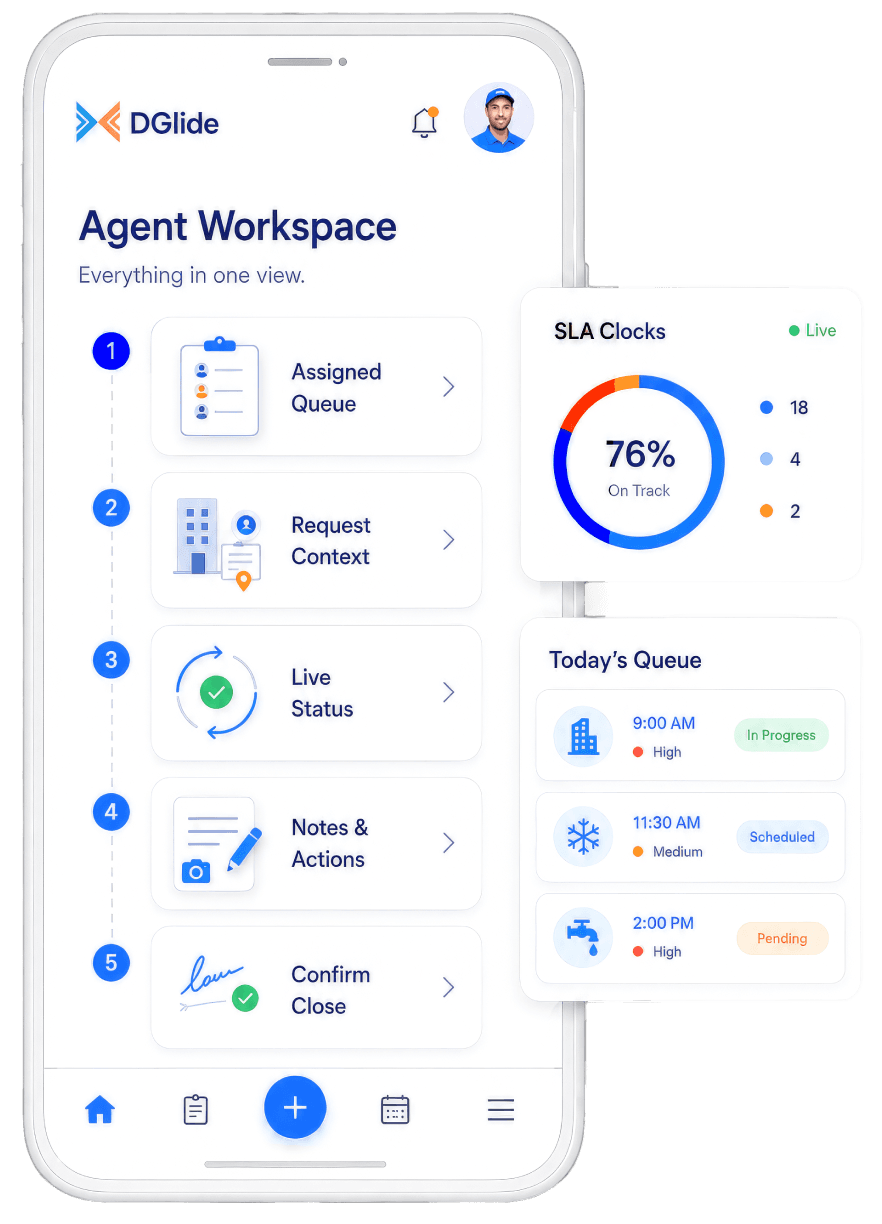
Field teams shouldn't depend on calls and manual updates to know what's next. The DGlide technician app gives them a mobile-first workflow for daily service execution.
See the day's jobs, addresses, and priorities on the phone, without calling the office.
Until now, you had two bad options: software that does not fit, or a custom build that never ends. DGlide is the third option.

New service types, technician rules, customer expectations, escalation paths: it all keeps shifting. DGlide shifts with it, no rebuild.



Field teams know what to do, where to go, and what to update.
Requests reach the right technician fast, so jobs start sooner and customers wait less.Requests reach the right technician fast.
Field teams know what to do and where to go, so they finish more jobs a day.Field teams know what to do, so they finish more jobs a day.
See every job's status as it happens, so nothing stalls unseen or gets forgotten.See every job's status as it happens, so nothing stalls unseen.
Track every deadline automatically and escalate before a breach, protecting the contracts you depend on.Track every deadline automatically and escalate before a breach.
Faster, more reliable service builds the trust that keeps customers and contracts renewing.Faster, more reliable service keeps customers and contracts renewing.
Work moves itself between stages, so your team stops chasing updates and approvals.Work moves itself between stages, so nobody chases updates and approvals.
“We were spending lakhs to generate leads, then losing them because nobody saw the alert in time.”
With one system tracking every lead, project, and complaint, response times collapsed and almost nothing slipped.
0X
More Leads Tracked
0 min
Response Time, from 40+
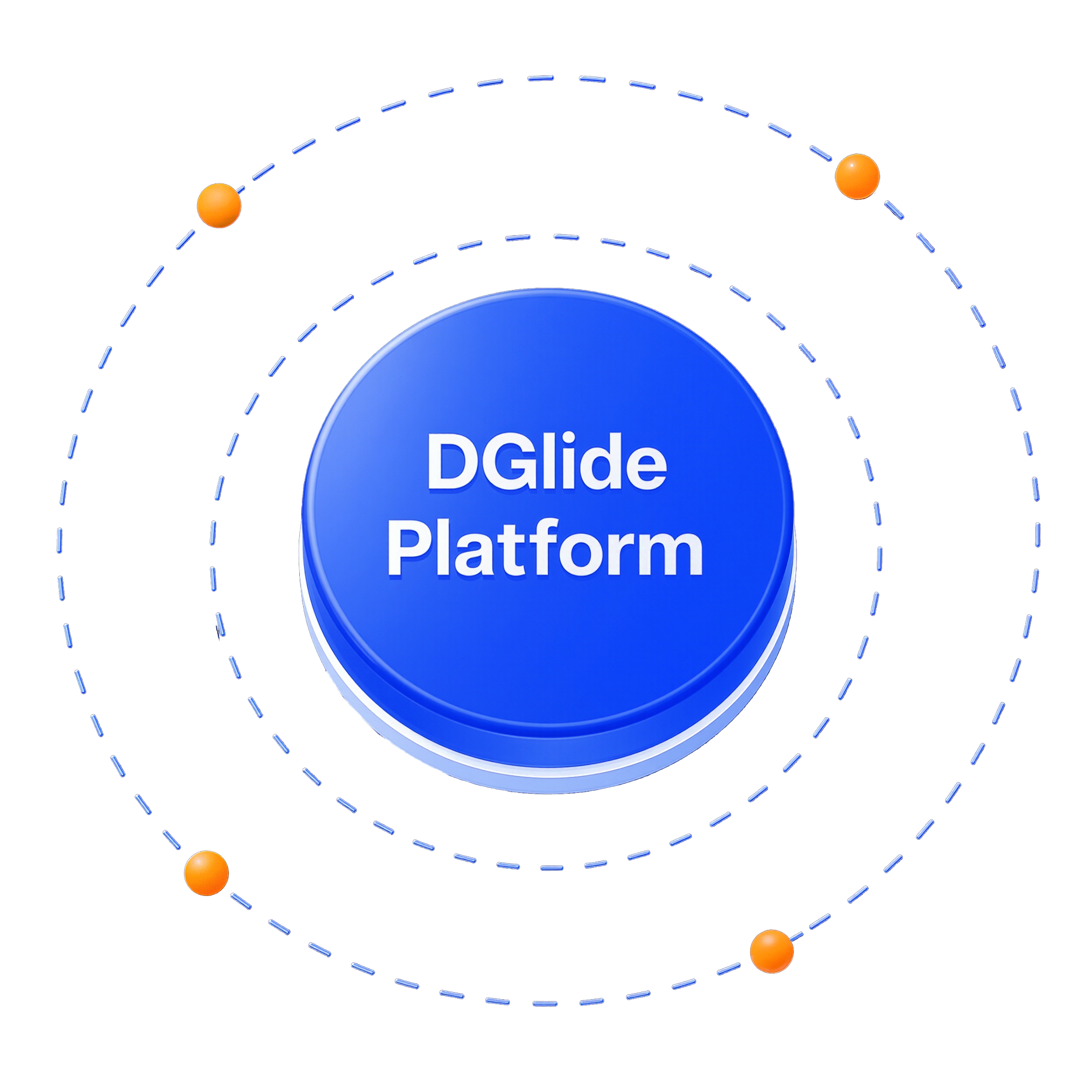
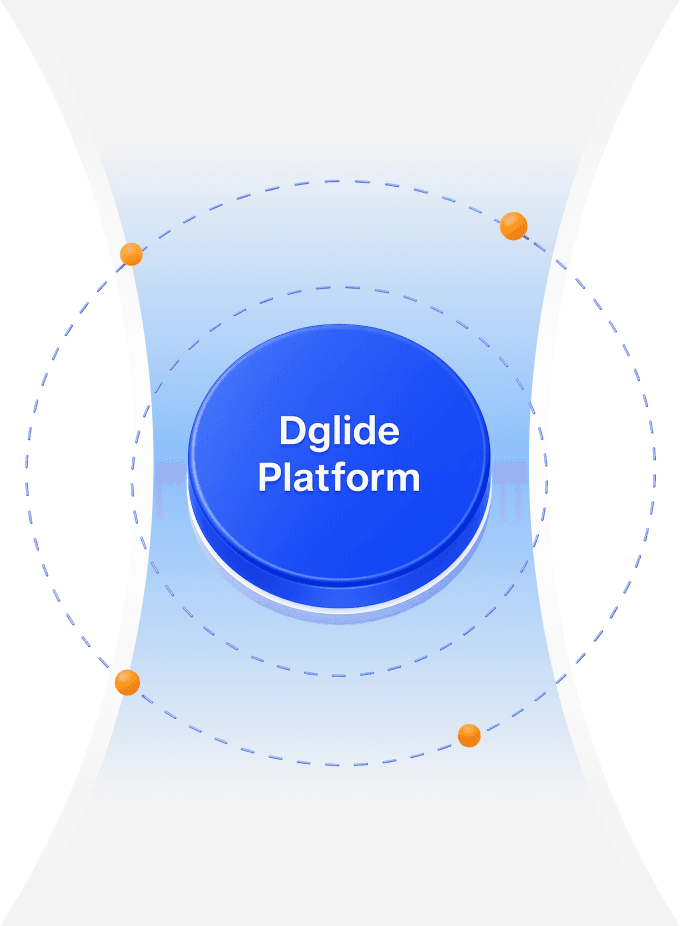
DGlide FSM isn't a disconnected field service tool. It runs on the same operational backbone that powers workflows across service, sales, process, and internal operations.
Your field service runs on DGlide's platform, not a siloed tool, so it connects to everything else you operate.
The backbone that runs FSM also runs sales, process, and internal operations, configured for each, not rebuilt.
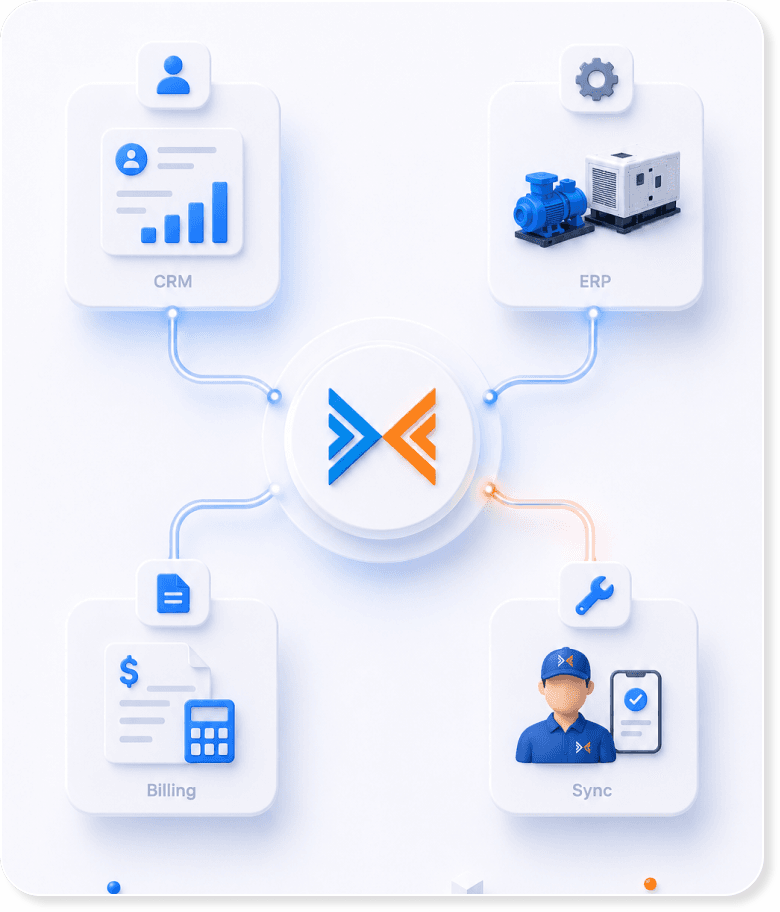
FSM shares customer, asset, and job data with your CRM, ERP, and other systems, so nothing lives on an island.
Five clear steps from your current chaos to a running system, no long IT project.
Map your requests, work orders, technicians, SLAs, and closure rules.
Adapt forms, workflows, approvals, and dashboards to how you work.
Prepare supervisors, service managers, and technicians to run it.
Start running real service operations inside DGlide.
Use LSM to refine workflows after real usage begins.
DGlide is designed to work with your existing business environment instead of replacing everything at once.DGlide is designed to work with your existing business environment.