
DGlide AI Engine New
Draw Your Process. Get a Working App.
Describe it or draw it, and DGlide's AI app builder turns it into a working no-code application on the DGlide platform.
The Problem
AI-Generated Code Is Someone Else's Problem to Maintain.
Code generators hand you files to host, secure and maintain. DGlide gives you a working application on a governed platform, so there is no raw code to manage.
Files to host, secure and maintain
A working app you can edit
How It Works
From Requirement to Running App in Four Steps
- 01
Describe or Draw
Upload a flow diagram or write the requirement.
- 02
AI Builds
Forms, fields, workflows and dashboards appear.
- 03
Validate and Fix
A second AI platform tests the build and issues are fixed.
- 04
Go Live
Iterate in a sandbox, push to production, then smoke test.
Change It by Asking
Need a New Field? Just Say So.
Add forms, fields, workflows and dashboards by asking.
Add an approval step and a service-history dashboard.
Safe to Ship
Built by One AI. Tested by Another.
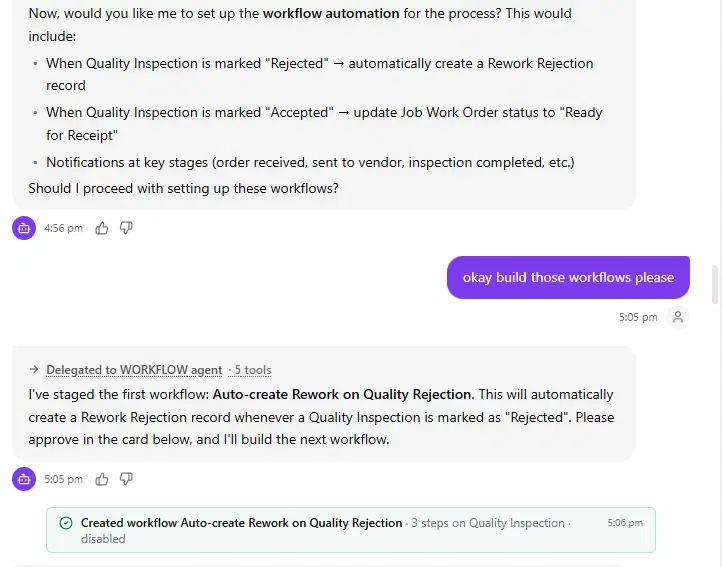
Every build is validated by a separate AI-driven platform. Once approved it moves from sandbox to production, followed by smoke testing.
- Build
- Validate
- Fix
- Ship
Fixes go back through validation before anything ships.
The Difference
Why Not Just Use an AI Code Generator?
| Compared on | Code generators | DGlide AI engine |
|---|---|---|
| What you get | Raw code files | A working no-code application |
| Making changes | Edit or regenerate code | Ask for changes, or edit forms, fields, workflows and dashboards directly |
| Maintenance | You manage, secure and host the code | Runs on the governed DGlide platform |
| Validation | Up to you | Separate AI-driven validation before production |
| Release | Manual deployment | Sandbox to production, followed by smoke testing |
Demo
One Real Build, Step by Step
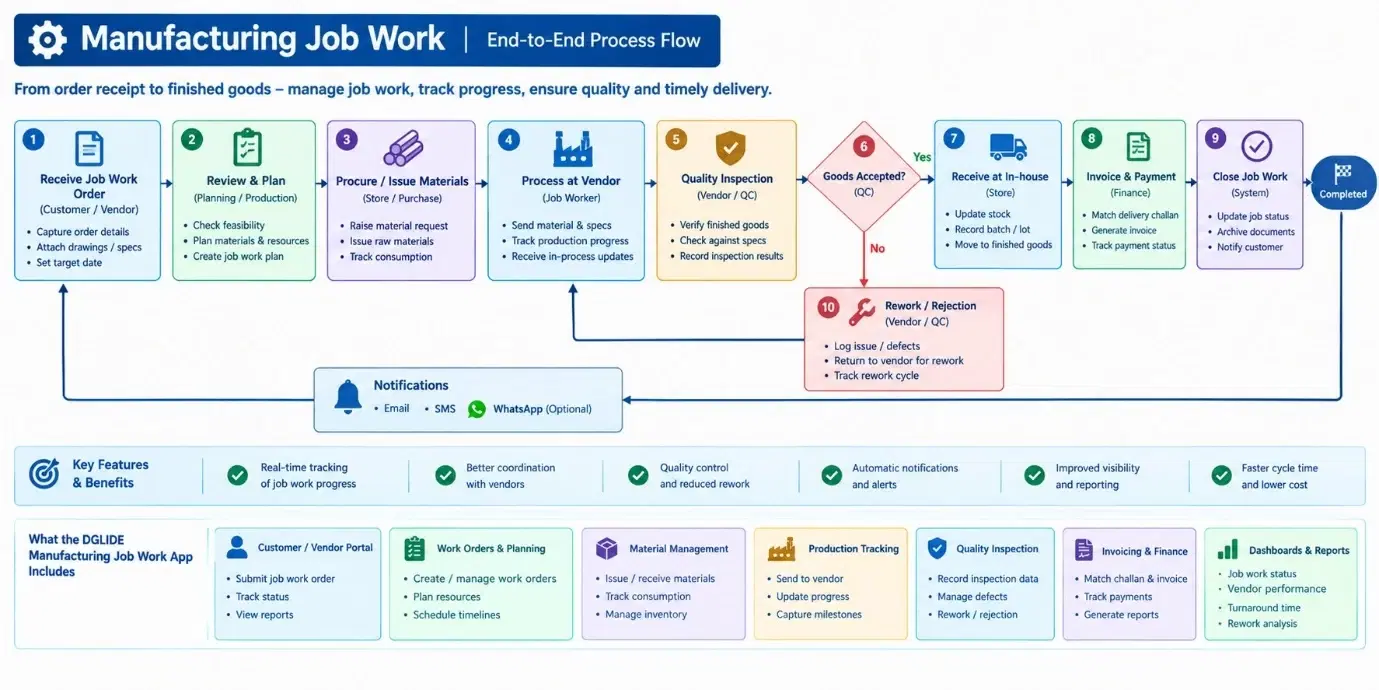
A manufacturing job work app, built on DGlide from a single flow diagram. These are screens from that build.
- 01
The Diagram Goes In
A manufacturing job work process, drawn as a flow diagram.
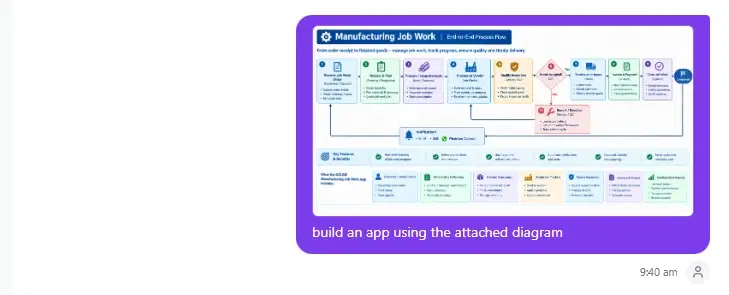 02
02One Line of Instruction
The diagram is attached with a single request: build an app using the attached diagram.
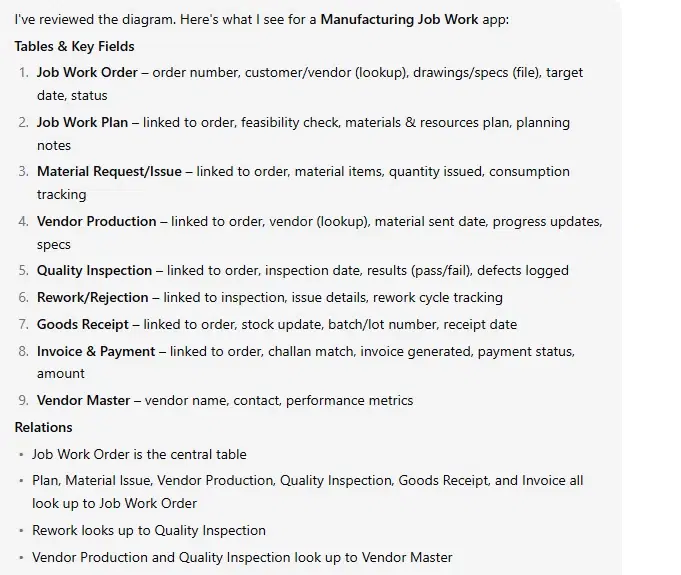 03
03The AI Proposes the App
Tables, key fields and relations are laid out for approval before anything is built.
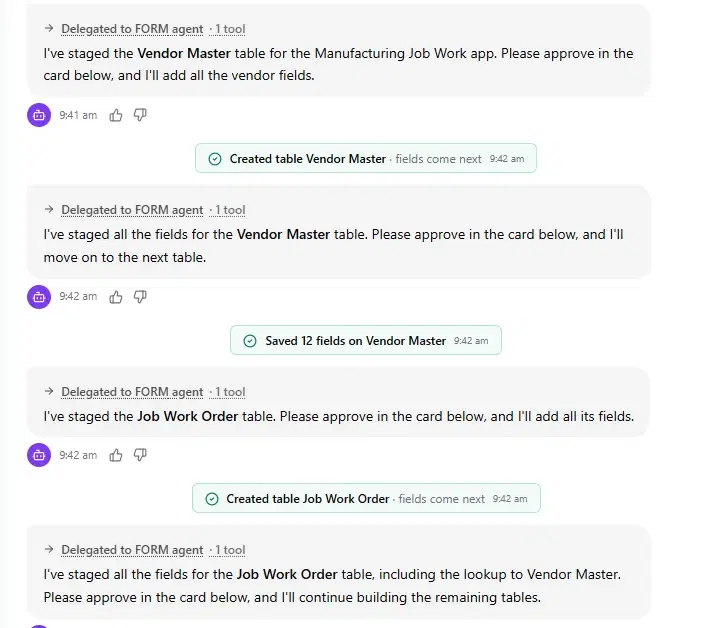 04
04Tables Built, One Approval at a Time
Each table and its fields are created only after you approve them.
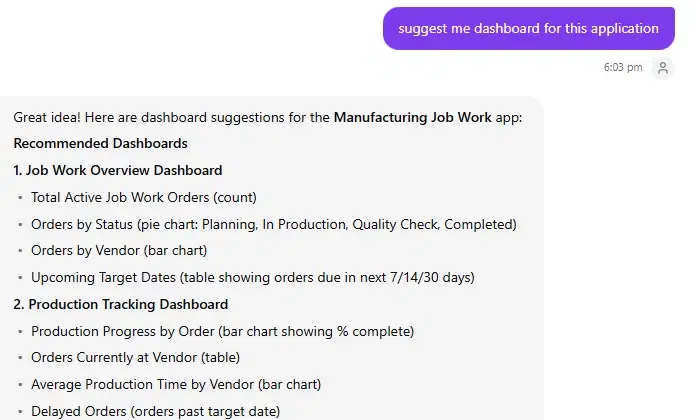 05
05Dashboards on Request
Ask for dashboards and the AI suggests the charts that suit the app.
- 06
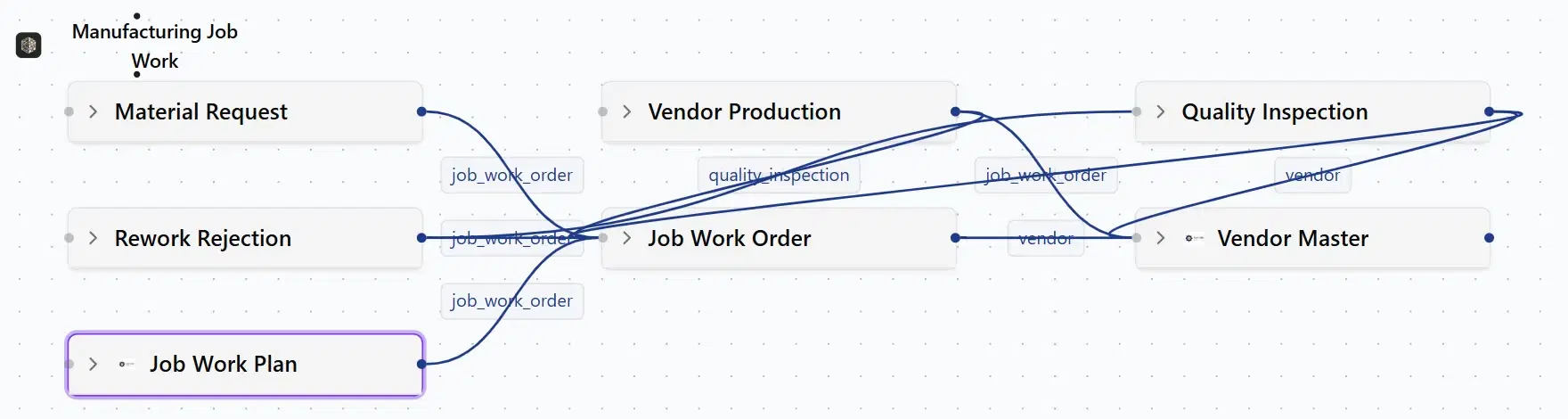
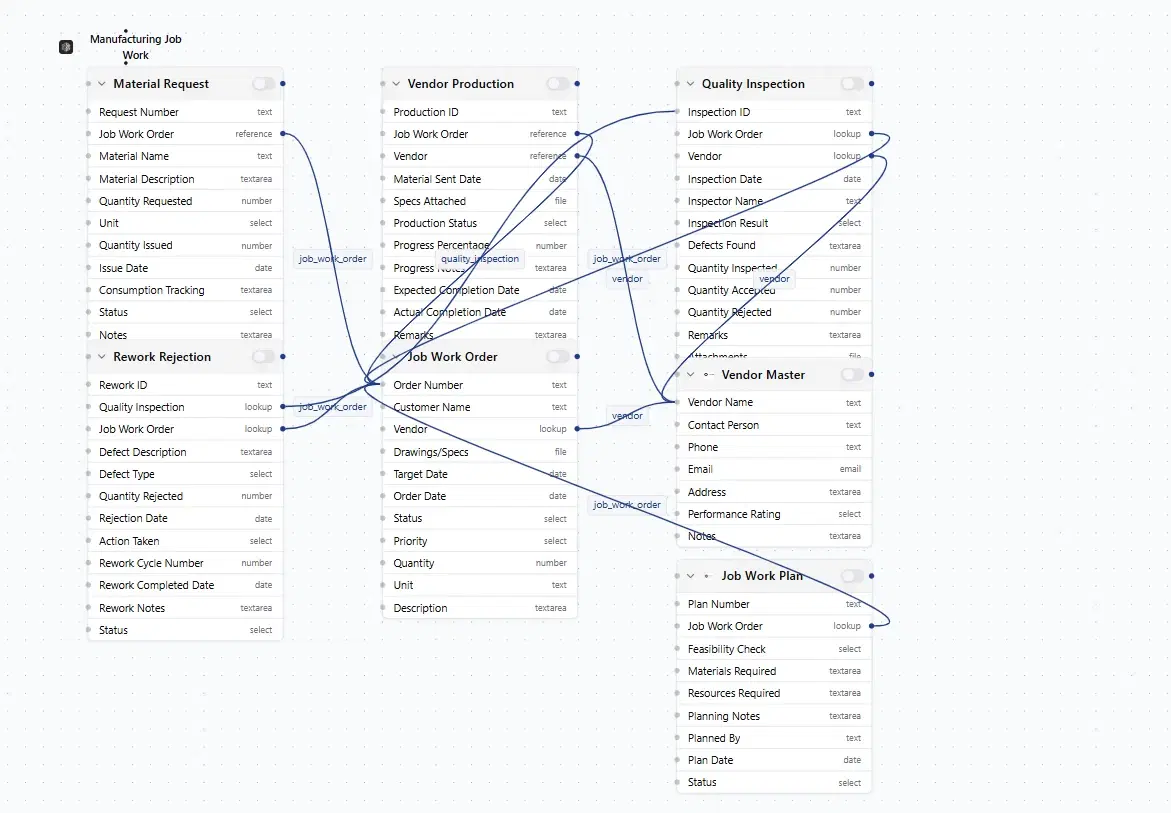
A Working App, Not Code
The finished Manufacturing Job Work app on the schema canvas, with every table and link.
FAQ
Questions About the DGlide AI App Builder
Is the DGlide AI engine a code generator?
No, the DGlide AI engine is not a code generator. It builds a working application on the DGlide no-code platform. There are no raw code files to host or maintain. Changes happen by asking, or by editing the app directly.
What can the DGlide AI app builder build from?
The DGlide AI app builder builds from a flow diagram or a written requirement. Upload the diagram, or describe what the process needs. The AI proposes tables, fields and relations for approval first. It builds each part only after you approve it.
Can I change an AI-built app afterwards?
Yes, you can change an AI-built DGlide app at any time. Ask for new forms, fields, workflows or dashboards in plain words. You can also edit them directly on the platform. There is no code to rewrite or redeploy.
How is an AI-built app checked before it goes live?
Every AI-built app is checked by a separate AI-driven platform before going live. Any issues are fixed and re-tested in a sandbox. Once approved, the app moves to production. A smoke test then confirms it works.
Who is the DGlide AI engine for?
The DGlide AI engine is for operations and no-code teams that need working apps. It suits teams that do not want to manage code. That includes service operations in manufacturing companies. Each app runs on the governed DGlide platform.
Book a Demo
See It Build Live.
Bring a process diagram or a written requirement, and watch DGlide turn it into a working app.