Quick Answer: Field workforce management software schedules, dispatches, and tracks people a business sends into the field, then turns that work into a searchable record instead of a memory.
Key points covered in this article:
What field workforce management software actually includes
Why vendors blur it with field service management
How scheduling, mobile access, and audit trails connect
What breaks once a field team passes 50 people
What to check before buying one in 2026
Field workforce management software schedules, dispatches, and tracks people a business sends outside its own building: technicians, service engineers, installers, site supervisors. Left unmanaged, that work exists only in someone's head, or a WhatsApp thread, until they return.
For a Service Head running AMC contracts, that gap shows up as a missed visit nobody flagged in time. For an Ops Head, it is a technician marking a job "done" with no photo or signature. For a Founder-MD, it is a complaint that reaches them before it reaches their own team.
A report by the Ministry of MSME, Government of India found that MSMEs contribute around 31.1% of India's GDP and are its second-largest employer, after agriculture, and many of them run field teams. This article covers what field workforce management software includes, and where it stops being interchangeable with field service management.
TL; DR
"Field workforce management" and "field service management" are not the same thing, and buying the wrong one is a costly mistake.
A GPS pin confirms location. It does not confirm whether the job was actually done.
The real failure point is the handoff from "visit happened" to "visit is recorded somewhere auditable."
Below roughly 50 field staff, a standalone attendance app may be enough.
Rising 2026 technology spend has not closed the gap between buying a tool and field staff actually using it.
What Is Field Workforce Management Software?
Field workforce management software is a platform that schedules, dispatches, and tracks the people a business sends into the field. That covers technicians, service engineers, installers, and site supervisors. Its job is to turn "someone went there and did something" into a record a manager can actually check.
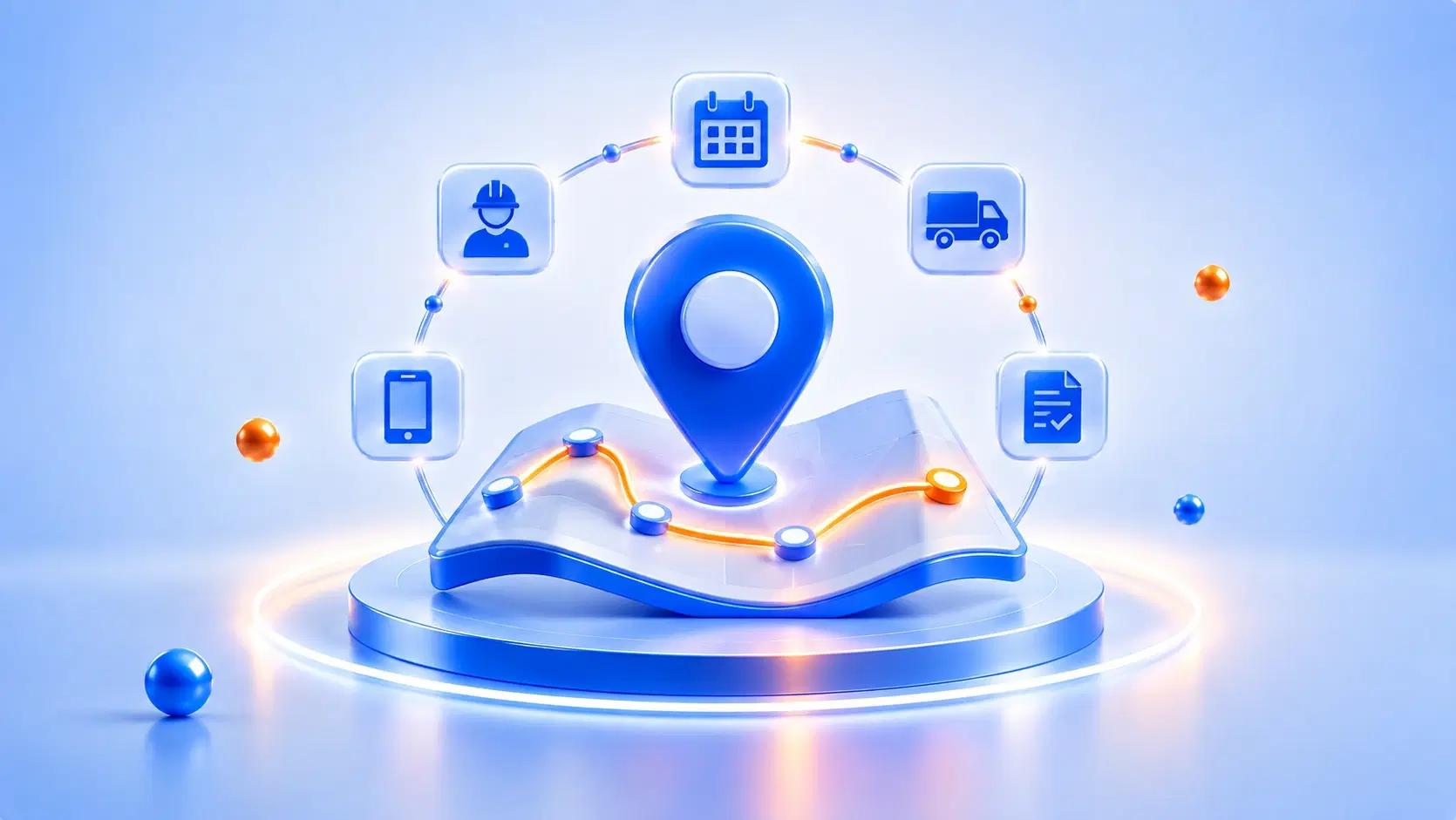
Most platforms share a common core, even when sold under different names. Five layers show up again and again.
A scheduling layer assigns visits to the right person by skill, location, and availability.
A dispatch layer pushes the day's job list to a mobile app, not a phone call.
A mobile capture layer lets the field employee log photos or signatures on site.
A visibility layer shows a manager where people are and what they've completed today.
A record layer stores every visit as a searchable entry, not a scrolled-past message.
A facilities company and a machinery manufacturer will configure these layers differently. The underlying job stays the same: replacing informal coordination with a system of record.
How Is Field Workforce Management Different From Field Service Management?
Field workforce management and field service management get used as interchangeable terms across most vendor content, including several top-ranking pages for this keyword. For a buyer, that habit is expensive to inherit. The two terms describe different halves of the same job.
Field workforce management answers who is available, where they are, and what they should do next.
Field service management answers what needs fixing, what the SLA requires, and what is tied to the job.
A 2026 Gartner press release found that over 50% of customer service organizations plan to double their technology spend by 2028. Only 20% have reduced headcount so far, evidence that spend is outpacing real change.
A business that buys a workforce-only tool often ends up with no record of what happened on site. One that buys a heavy field-service suite built for enterprise ticketing often finds its own technicians never open the app. Both mistakes trace back to treating these two terms as one.
How Does Field Workforce Management Software Actually Work?
Field workforce management software works as a sequence: a job is created, assigned, completed in the field, then recorded where the office can see it. Each step depends on the one before it, which is why a gap early in the chain becomes a bigger problem later.
A job enters the system. A scheduled AMC visit, a breakdown call, or a new installation request.
The system assigns it. By skill, location, and who has capacity that day.
The technician receives it on a mobile app. No phone call, no forwarded message, no relying on memory.
The technician logs the visit on site. A photo, a signature, or a checklist, captured before they leave.
The record syncs to a dashboard. A Service Head can check completion without calling anyone.
Steps three and four are what usually break in an informal setup. A phone call is easy to miss, and a photo on a personal phone rarely reaches any shared system. This software exists mainly to make those two steps automatic.
What Happens When Field Teams Run Without It?
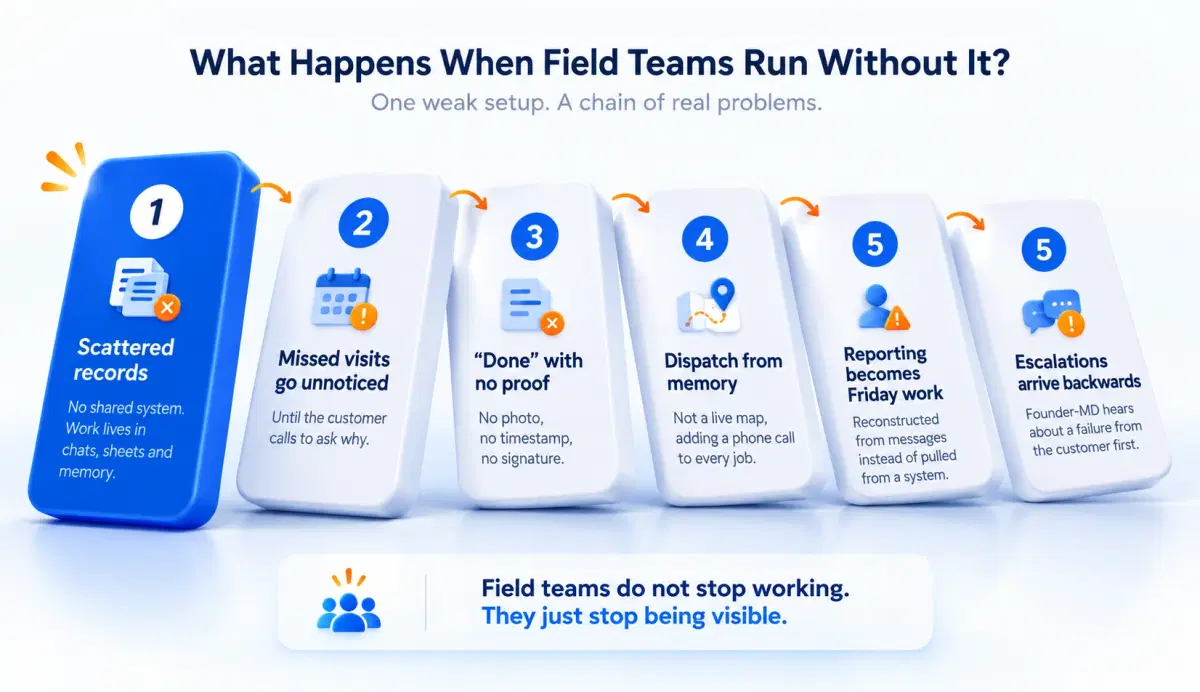
Field teams without dedicated software do not stop working, but the record of their work lives in scattered places, a supervisor's memory, a WhatsApp group, an Excel sheet updated once a week if at all. The problems that create are specific, not abstract.
Missed visits go unnoticed until the customer calls to ask why.
A "done" job is unverifiable, with no photo, no timestamp, no signature.
Dispatch runs on memory, not a live map, adding a phone call to every job.
Reporting becomes a Friday task, reconstructed from messages instead of pulled from a system.
Escalations arrive backwards, with a Founder-MD hearing about a failure from the customer first.
In deployments we've supported for equipment and machinery service teams, this is the first gap that shows up. A job gets marked complete with no way to confirm it happened as described.
Research on frontline teams shows a related pattern. A study in MIT Sloan Management Review found that over 80% of frontline workers wanted to flag operational issues, but 70% rarely got the chance to. That information never travels without a system built to capture it.
What Should You Look For In Field Workforce Management Software?
The right field workforce management software depends on what actually breaks in your operation, not a generic checklist. Name the failure: missed visits, unverifiable completion, slow dispatch. The features that matter follow from that.
If your problem is... | Look for... |
Missed or forgotten visits | Scheduling tied to contract terms, with flags for skipped visits |
No proof a job was done | Mandatory photo, signature, or checklist before a job can close |
Slow, memory-based dispatch | Live location and skill matching, not a call to "whoever's free" |
No visibility until week's end | A dashboard that updates as the team works, not after |
A process that keeps changing | A workflow the Service Head can adjust directly, no developer ticket |
By 2026, embedded AI is close to standard across this category, the way mobile apps became standard a decade ago. A 2025 Gartner press release found that 40% of enterprise applications will include task-specific AI agents by 2026, up from under 5% in 2025. AI alone is no longer a differentiator; what matters is whether your field team actually uses what gets bought.
There is a scale answer too. Below roughly 50 field staff, a standalone GPS attendance app is cheaper and does that job well. Above roughly 2,000 staff across regions, a different category of tool usually fits better.
A McKinsey 2025 report found that 92% of companies plan to increase AI spending, while only 1% describe their deployment as mature.
Still tracking AMC visits on a spreadsheet?
See how DGlide's field service module handles scheduling, dispatch, and visit records in one place.
Why Should You Choose DGlide?
If your field team runs on WhatsApp, Excel, and a supervisor's memory, DGlide's FSM module replaces that stack, handling scheduling, dispatch, and mobile capture alongside service delivery.
GPS tracking tied to a task record, not just a location pin.
Skill-and-location dispatch that assigns the nearest qualified person automatically.
A workflow the Service Head can reconfigure directly, without a developer ticket.
Most teams start with FSM, since it maps directly onto scheduling and service visits. The Living Service Model underneath lets that workflow keep changing later, without a rebuild.
Compared to WhatsApp and Excel, every visit becomes a timestamped record, not a scrolled-past message.
Compared to a standalone GPS app, DGlide records what was done, not only that someone was there.
If missed visits or slow dispatch sound like this week at your company, book a 15-minute walkthrough of DGlide's field workforce management setup.
Conclusion
Field workforce management and field service management solve related but different problems, and most vendor content blurs the line between them in ways that cost buyers money. The workforce layer is about people, schedules, and location. The service layer is about proof of delivery and the customer-facing record.
For a Service Head evaluating this category in 2026, the useful question is not which platform has the most features. It is whether a technician on site can actually use what gets bought, and whether that visit becomes a record someone can check minutes later.
FAQs
What is field workforce management software?
Field workforce management software schedules, dispatches, and tracks people working outside the office. It covers technicians, service engineers, installers, and site supervisors. Most versions add mobile apps and location tracking. DGlide includes this in its FSM module.
How is field workforce management different from field service management?
Field workforce management covers people, meaning schedules and location. Field service management covers delivery, meaning work orders and completion records. Vendors often blend the two together. Buying the wrong half is a costly mistake.
Is GPS tracking the same as field workforce management software?
No, GPS tracking is one small part of field workforce management software. A location pin confirms where someone is, not what they did. Full field workforce management adds scheduling, dispatch, and an auditable record. That record is what a Service Head needs during a dispute.
How much does field workforce management software cost for a mid-size Indian business?
Cost depends on team size, modules used, and whether service-delivery features are included. A standalone attendance app costs less than a full platform. For an exact quote, DGlide's team can walk through pricing directly.